
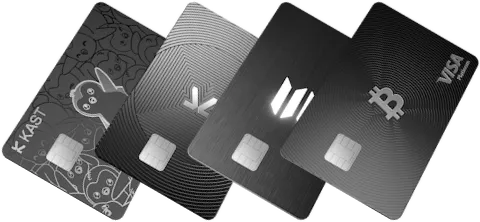
The biggest KAST fee questions are annual tier cost, non-USD conversion rate, non-stablecoin deposit conversion, ATM withdrawal limit and cost, physical card cost, and whether cashback offsets those costs in your real spending pattern.
How to read the KAST fee page
Read the fee page from top to bottom instead of only checking annual fee. The real cost is often in the rows below the tier price.
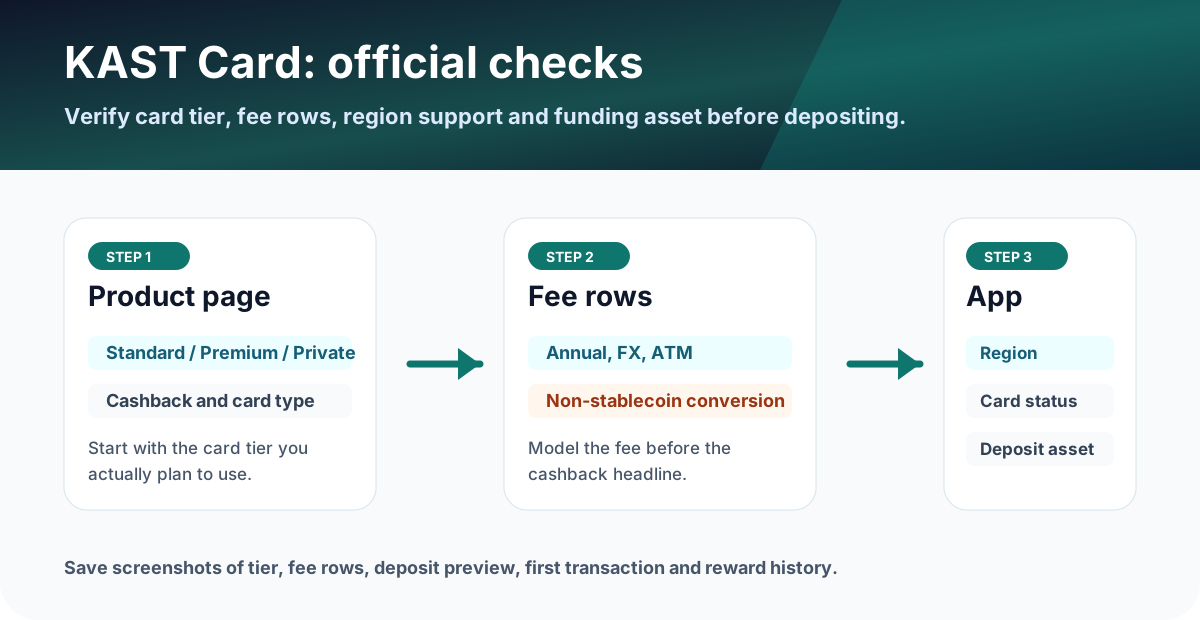
Membership tiers to compare first
The official fee page, updated May 15, 2026, lists Standard at $0 annual fee, Premium at $1,000 per year, and Private at $10,000 per year. Standard users should still check the $40 physical-card shipping fee and additional virtual card rules before ordering.
| Tier | Cost headline | Reward headline | Best check |
|---|---|---|---|
| Standard | $0 annual fee | 1.5% USD cashback on the first $2,000/month | $40 physical-card shipping, FX, ATM |
| Premium | $1,000/year | 2% USD cashback on the first $10,000/month plus 1% KAST Points | Monthly spend needed to justify fee |
| Private | $10,000/year | 3% USD cashback on the first $50,000/month plus 2% KAST Points | Only makes sense for very high spenders who can verify all terms |
KAST card conversion rate and spend fees
For USD card spend, KAST lists 0% card spend and transaction fee. For non-USD spending, the official fee page lists a 0.5-1.75% foreign exchange fee. Small non-USD transactions under $25 also have a $0.10 small transaction fee.
If you searched for KAST card conversion rate, separate three different rows: stablecoin deposit conversion, non-stablecoin deposit conversion, and non-USD card spending. Stablecoin deposits are shown as 1:1 USD conversion with 0% spread. Non-stablecoin deposits are auto-converted to stablecoins with a 2-5% fee that varies by token. Non-USD purchases then use the FX fee row above.
At the listed 0.5-1.75% FX range, the fee depends on residence country and transaction country.
Use this only for supported stablecoins; non-stablecoin deposits use a different conversion row.
Before travel or daily spending, check whether your merchant currency is USD or non-USD and whether the app displays a fee preview before confirmation.
KAST physical card and Visa card types
KAST lists physical cards for Standard, Premium and Private tiers, but the cost and card type are not the same. Standard shows a physical-card shipping fee, while higher tiers include the card and charge for additional cards. The official fee page lists Premium Plastic for Standard, Premium Metal for Premium, and gold-plated material for Private.
| Tier | Physical card cost cue | Card material | Visa card type |
|---|---|---|---|
| Standard | Free card with $40 shipping fee | Premium Plastic | VISA Platinum |
| Premium | Included; additional card row applies | Premium Metal | VISA Infinite |
| Private | Included; higher additional-card row applies | Gold plated | VISA Infinite |
Before ordering a physical card, save the tier screen, shipping fee, delivery country, additional-card row and card material shown in the app. A physical card is especially important if you plan to test ATM withdrawals.
Deposit fees: stablecoin vs non-stablecoin
The difference matters. Stablecoin deposits are listed as 0%, while non-stablecoin tokens are auto-converted to stablecoins with a 2-5% fee that varies by token. If your plan is to deposit BTC, ETH, SOL or another non-stablecoin, the card can be more expensive than it first appears.
KAST ATM withdrawal limit and fee example
The official fee page lists an ATM withdrawal limit of up to $250 per withdrawal, with a limit of 3 withdrawals or $750 per 24-hour period. That means a $300 cash need cannot be done as one withdrawal under the listed row; it would need to be split and may trigger additional ATM operator fees.
If the withdrawal is non-USD, add the listed 0.5-1.75% FX range. Local ATM operators may also charge their own fee.
Pre-application checklist
- Confirm country support and card tier in the app.
- Check whether your deposit asset is a supported stablecoin.
- Estimate monthly spend and cashback cap before upgrading tiers.
- Save screenshots of fee rows, physical-card order screen, ATM limit row and card creation status.
What to save before and after using the card
- Fee-table screenshot showing the date you checked it.
- Screenshot of the selected tier, physical-card order status, card shipping or extra-card cost.
- Deposit preview showing whether the asset is a stablecoin or non-stablecoin auto-conversion route.
- ATM screen, ATM receipt and app transaction detail if you test withdrawals.
FAQ
What is the KAST card conversion rate?
KAST lists stablecoin deposits as converted to USD at a 1:1 rate with 0% spread. For non-USD card spending, the official fee page lists a 0.5% to 1.75% foreign exchange fee depending on residence country and transaction country. Non-stablecoin deposits are auto-converted with a 2% to 5% fee that varies by token.
What is the KAST ATM withdrawal limit?
The official KAST fee page lists ATM withdrawals up to $250 per withdrawal, with a limit of 3 withdrawals or $750 per 24-hour period. The same page lists a $3 flat fee plus 2% of the withdrawal amount, with an extra 0.5% to 1.75% FX fee for non-USD ATM withdrawals.
Does KAST have a physical card?
Yes. The official KAST fee page lists physical cards across Standard, Premium and Private tiers. Standard shows a $40 shipping fee, while Premium and Private include physical cards and additional-card pricing. Card materials and Visa card types differ by tier.
What should I trust if the app and this page differ?
Before applying, funding, or spending, use the latest official site or in-app screen as the source of truth. Treat this page as a decision checklist and save the live fee, reward, and availability screens.
Official sources checked
Terms change quickly. Use this page to narrow your choice, then confirm the final fee table, card availability, limits, and campaign terms in the official app or help center.
Official social and update checks
Use official KAST social accounts to catch fee changes, maintenance posts, or campaign updates that may appear before help-center copy is updated.